Key takeaways
- Give every page one primary keyword, plus every keyword that wants the same answer.
- Google’s results decide what belongs together: keywords whose top 10 show the same kind of page go on one page.
- A keyword map gives every cluster of keywords one URL, so your pages don’t compete with each other.
How many keywords per page for SEO?
There’s no fixed number. A page should target one primary keyword and every other keyword with the same search intent: the same question behind different words. That can be two keywords or fifty.
Take “how many keywords per page for seo”. People also search “seo how many keywords”, “how many seo keywords should i use” and six more ways of asking it. They all want the same answer, and Google treats them that way: one page can rank for all nine.
- how many keywords per page for seo
- how many keywords per page seo
- how many seo keywords per page
- how many seo keywords should i use
- how many keywords seo
- how many keywords seo per page
- seo how many keywords
- seo how many keywords per page
- seo keywords how many
Rules like “one primary and three to five secondary keywords” are a fair start for a small topic, but they break both ways: they split a big topic into thin pages, and they merge keywords that only look alike.
How to tell which keywords belong on one page
Similar words aren’t enough. Look at what Google shows for each keyword:
- One pageSame pages rank for both
- “how many keywords per page for seo”
- 4 of its 9 results rank for both
- “seo how many keywords”
- 4 of its 9 results rank for both
- Two pagesSame words, different kind of page
- “keyword clustering tool”
- Tools and lists of tools
- “keyword clustering”
- How-to guides
- One pageDifferent words, same answer
- “keyword clustering tool”
- Tools and lists of tools
- “keyword grouping tool”
- Tools and lists of tools
The first case is the easiest to check: put both keywords’ results side by side. For “how many keywords per page for seo” and “seo how many keywords”, four of the nine pages on Google’s first page rank for both. That’s one page.
- 1searchvolume.io
- 2vh-info.com
- 3brandwell.ai#1 there
- 4bloggyideas.com#5 there
- 5seotactica.com
- 6ranktree.io
- 7atroposdigital.com#7 there
- 8stevenjwilson.com#4 there
- 9catalystseosantarosa.com
- 1brandwell.ai#3 there
- 2addlly.ai
- 3webserve.hu
- 4stevenjwilson.com#8 there
- 5bloggyideas.com#4 there
- 6reddog.group
- 7atroposdigital.com#7 there
- 8causalfunnel.com
- 9webseotrends.com
Checking that by hand works for 20 keywords. For hundreds, let a tool compare the results: that’s what keyword clustering does.
What is keyword mapping?
Keyword mapping assigns every keyword you want to rank for to one URL on your site. The result, the keyword map, is a table: one row per page, with its primary keyword, the keywords it covers too, and the kind of page it has to be.
- camping checklist14 keywords/camping-checklistmapped
- 4 person tent9 keywords/tents/4-person/blog/family-tentsTwo pages, one intent: they compete
- camping stove11 keywordsNo page yet: a page to write
It does two jobs:
- It stops your pages from competing. When two pages target the same intent, Google picks one, often not the one you want. A map shows the overlap before you write.
- It shows the gaps. Clusters without a URL are the pages you still need: your content plan.
How to create a keyword map in five steps
- 1Collect keywords
- 2Group by intent
- 3Note the page type
- 4One URL per cluster
- 5Put them on the page
1. Collect your keywords
Start from your topics and pull in the keyword ideas around them, with search volume and difficulty. Add the keywords your competitors rank for and you don’t, and the questions people ask.
2. Group them by search intent
Cluster the list so that each group is one page. Name each cluster after its most searched keyword: that’s the primary keyword.
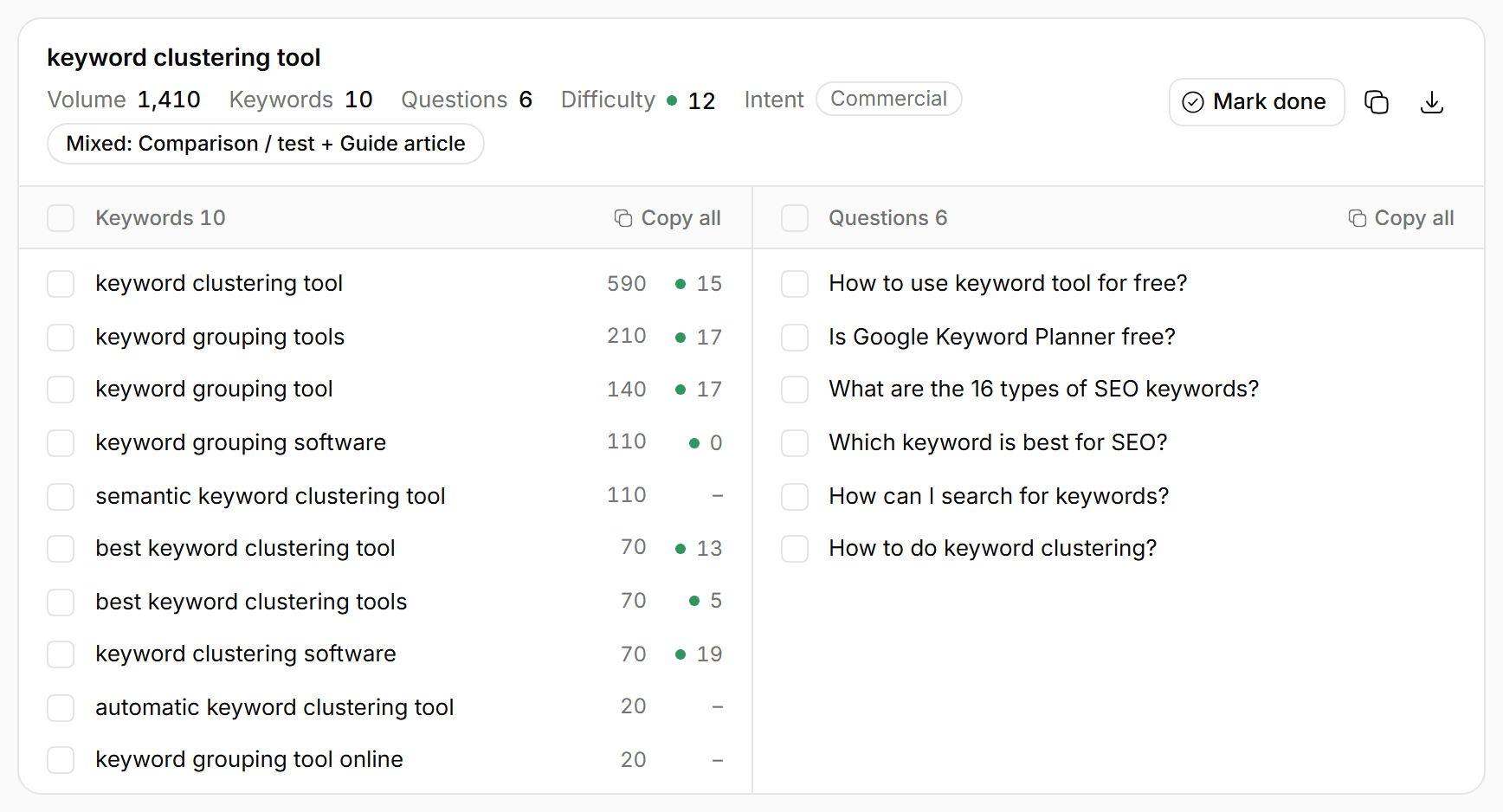
3. Note the page type that ranks
For each cluster, look at Google’s top 10: product pages, guides, comparisons or category pages. Write that kind of page, or skip the cluster if you can’t.
4. Give every cluster one URL
Match clusters to the pages you have first. If an existing page fits, map the cluster to it and improve it. Only then plan new URLs for the rest.
5. Put the keywords on the page
Primary keyword in the title, the H1, the URL and the first paragraph. Secondary keywords and questions as subheadings and in the copy, where they read naturally.
- Primary keyword
- Secondary keywords
- Questions
Research keywords around rank tracking for the US, cluster them, and give me a keyword map: one row per page with its primary keyword, the others, and the page type that ranks.
keyword_research → cluster_keywordsConnect seospark to your AIKeyword mapping example
These are four rows of the keyword map behind seospark.io, this site. Each cluster got one URL, and the page type follows what ranks: the comparison query gets a one-to-one comparison, the question gets a guide.
| URL | Primary keyword | Also on the page | Page type |
|---|---|---|---|
| /tools/keyword-clustering | keyword clustering tool590 searches · KD 15 | keyword grouping tool (140)semantic keyword clustering tool (110) | Product page |
| /learn/keyword-mapping | how many keywords per page for seo140 searches · KD 0 | keyword mapping (170)keyword mapping template (90) | Guide |
| /compare/semrush-alternative | semrush alternative880 searches · KD 10 | cheaper alternative to semrush (70) | Comparison |
| /api/rank-tracking | rank tracking api880 searches · KD 0 | google rank tracking api (260) | Product page |
This guide is row two: “how many keywords per page for seo” is the primary keyword because it’s far easier to rank for than “keyword mapping” (difficulty 0 against 25), and the guide answers both.
Keyword mapping template
A spreadsheet with these columns is all you need. One row per URL:
- URL: The page, existing or planned. One row per URL.
- Primary keyword: The most searched keyword of the cluster: title, H1, URL and first paragraph.
- Secondary keywords: The cluster’s other keywords: subheadings and copy.
- Questions: What people ask about it: the FAQ and more subheadings.
- Page type: What ranks in Google’s top 10: product page, guide, comparison, category.
- Volume and difficulty: The cluster’s searches and how hard its keywords are, to decide the order.
- Status: Planned, in progress, live: the map is also your content plan.
In seospark, a clustering run is this table already: export the clusters as CSV and add the URL and status columns. Or keep the keywords in a keyword list and cluster it again when it grows.
How many keywords per 1,000 words?
Don’t count. Keyword density isn’t a ranking target, and repeating a keyword to hit a percentage reads badly. Use the primary keyword where it belongs (title, H1, first paragraph, a subheading or two) and cover the secondary keywords and questions because the reader needs those answers.
A page that answers the whole cluster mentions its keywords naturally. If a keyword doesn’t fit anywhere, it probably belongs on another page.
Keyword mapping questions
How many keywords should I target per page?
One primary keyword, plus every keyword with the same search intent. That can be a handful or dozens; what matters is that one page can answer all of them.
Can two pages target the same keyword?
They shouldn’t. Google usually ranks one of them and the two split links and attention. Merge them, or give each a different intent.
What’s the difference between keyword clustering and keyword mapping?
Clustering groups keywords that belong on one page. Mapping gives each of those groups a URL on your site. Clustering comes first.
How often should I update my keyword map?
When you add a topic or publish pages, and about every quarter otherwise: search results change, and clusters can split or merge.